Jarvis AI Voice Assistant Project

1. Project Objective
Build a fully local AI voice assistant that can:
- Listen through a microphone
- Convert speech to text using Whisper
- Process requests using a local LLM (Gemma4 via Ollama)
- Respond using text-to-speech
- Run continuously in a loop
Goal : to create a privacy-focused voice assistant that runs entirely on local hardware without relying on cloud AI services.
| Stage | Component | Function |
|---|---|---|
| Input | Microphone | Captures user voice input in real time |
| Speech-to-Text | Faster-Whisper | Converts spoken audio into text |
| AI Processing | Ollama + Gemma4 | Generates intelligent responses from user input |
| Text-to-Speech | pyttsx3 | Converts AI response into spoken audio |
| Output | User | Receives spoken response from Jarvis |
2. Environment Setup
Create Project Directory
mkdir ~/jarvis
cd ~/jarvis
Create Python Virtual Environment
python3 -m venv venv
source venv/bin/activate
Verify virtual environment:
which python3
which pip
Expected output should point to:
~/jarvis/venv/bin/
| Step | Command | Purpose |
|---|---|---|
| Create Project Directory | mkdir ~/jarvis | Creates the main project folder |
| Move into Directory | cd ~/jarvis | Navigates into the project folder |
| Create Virtual Environment | python3 -m venv venv | Creates an isolated Python environment |
| Activate Environment | source venv/bin/activate | Activates the virtual environment |
3. Python Dependencies
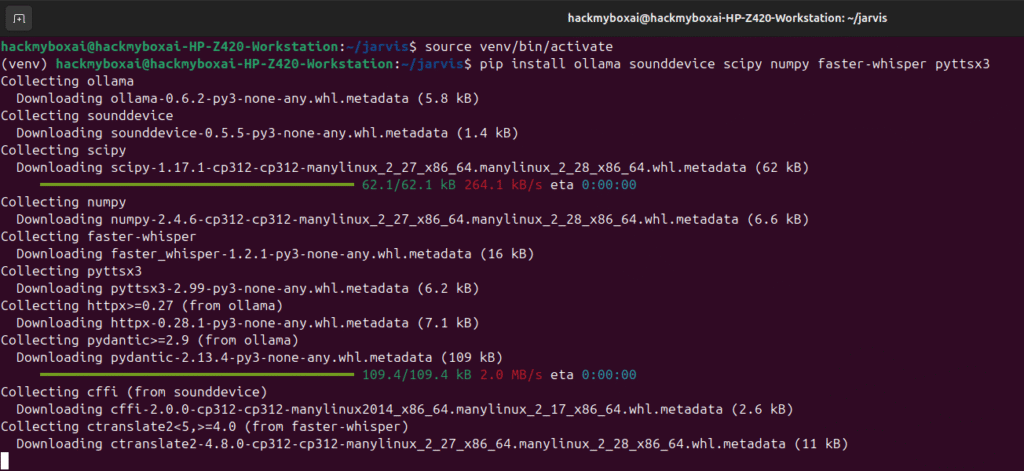
Install required packages:
pip install faster-whisper
pip install ollama
pip install pyttsx3
pip install sounddevice
pip install scipy
Or install all together:
pip install faster-whisper ollama pyttsx3 sounddevice scipy
| Step | Command | Purpose |
|---|---|---|
| Install Faster-Whisper | pip install faster-whisper | Speech-to-text (Whisper model) |
| Install Ollama | pip install ollama | Connects Python to local LLM (Gemma4) |
| Install pyttsx3 | pip install pyttsx3 | Text-to-Speech engine (offline voice output) |
| Install sounddevice | pip install sounddevice | Captures audio from microphone |
| Install SciPy | pip install scipy | Saves audio as WAV files |
4. Ollama Setup
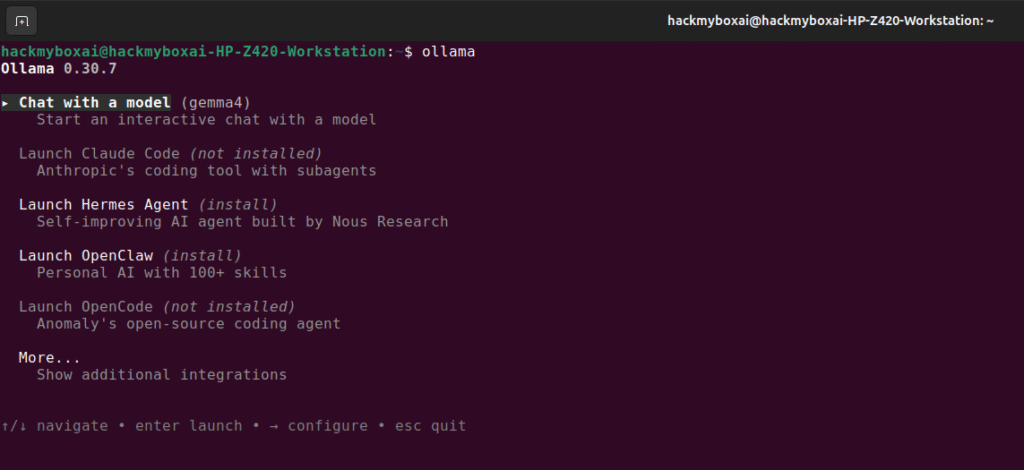
Verify Ollama installation:
ollama --version
List available models:
ollama list
Installed models:
gemma4:latest
gemma4:e4b
gemma3:12b
llama3.1:8b
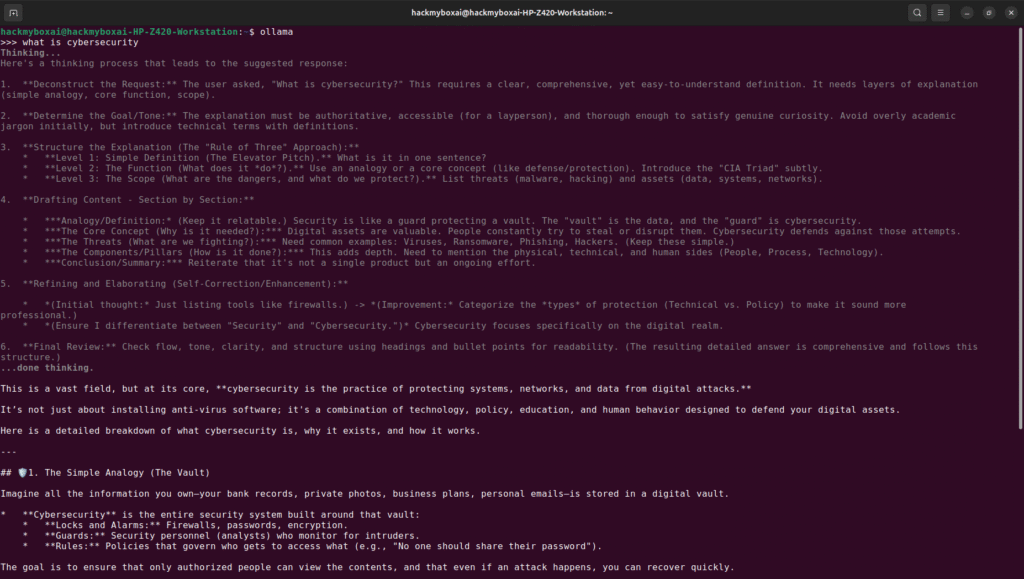
Test Gemma4 manually:
ollama run gemma4:latest
Example:
>>> What is cybersecurity?
Model successfully generated responses.
5. Faster-Whisper Validation
from faster_whisper import WhisperModel
model = WhisperModel(
"base",
device="cpu",
compute_type="int8"
)
segments, info = model.transcribe(
"test.wav",
vad_filter=True,
beam_size=5
)
print("Language:", info.language)
text = ""
for segment in segments:
print(segment.text)
text += segment.text
print("\nFULL:", text)
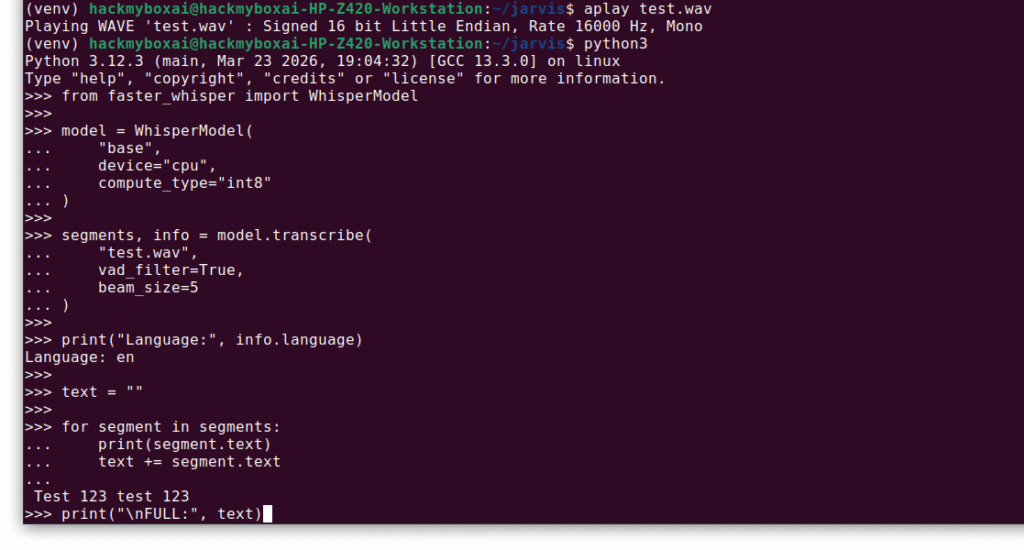
| Step | Code | Purpose |
|---|---|---|
| Import model | from faster_whisper import WhisperModel | Loads the Faster-Whisper library |
| Initialize model | WhisperModel("base", device="cpu", compute_type="int8") | Loads lightweight Whisper model optimized for CPU |
| Transcribe audio | model.transcribe("test.wav", vad_filter=True, beam_size=5) | Converts speech in audio file to text |
| Detect language | print("Language:", info.language) | Displays detected language |
| Process segments | for segment in segments: | Iterates through transcription output |
| Combine text | text += segment.text | Builds full sentence from segments |
| Final output | print("\nFULL:", text) | Displays complete transcription |
6. Text-to-Speech Validation
import pyttsx3
engine = pyttsx3.init()
engine.say("Jarvis is online and working")
engine.runAndWait()

| Syntax | Description |
|---|---|
import pyttsx3 | Imports the offline Text-to-Speech (TTS) library. |
pyttsx3.init() | Initializes the speech engine and creates a TTS object. |
engine.say() | Queues the specified text to be spoken. |
engine.runAndWait() | Processes the speech queue and plays the audio through the speakers. |
7. Initial AI Integration Test
Created file:
nano jarvis_test.py
Contents:
import ollama
import pyttsx3
engine = pyttsx3.init()
user_input = "What is cybersecurity?"
response = ollama.chat(
model="gemma4:latest",
messages=[
{"role": "user", "content": user_input}
]
)
reply = response["message"]["content"]
print("Jarvis:", reply)
engine.say(reply)
engine.runAndWait()
Execute:
python3 jarvis_test.py
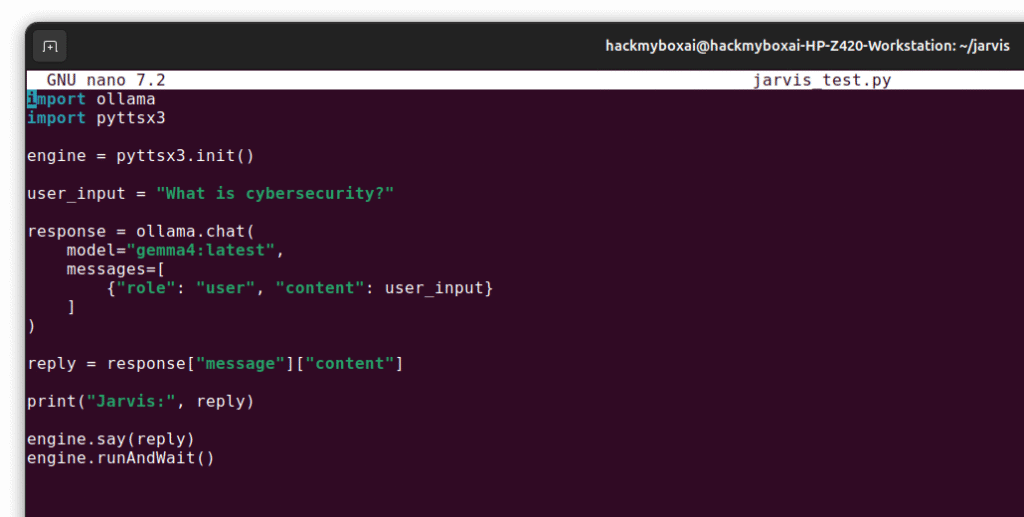
| Code Section | Purpose |
|---|---|
import ollama | Imports the Ollama library to communicate with the local Gemma4 AI model. |
import pyttsx3 | Imports the Text-to-Speech library for offline voice output. |
engine = pyttsx3.init() | Initializes the Text-to-Speech engine. |
user_input = "What is cybersecurity?" | Defines the user prompt to be sent to the AI model. |
ollama.chat(...) | Sends the prompt to Gemma4 and receives an AI-generated response. |
reply = response["message"]["content"] | Extracts the response text from the Ollama output. |
print("Jarvis:", reply) | Displays the AI response in the terminal. |
engine.say(reply) | Sends the response text to the Text-to-Speech engine. |
engine.runAndWait() | Processes and plays the spoken response through the speakers. |
8. Real-Time Jarvis Assistant
Created:
nano jarvis_realtime.py
import sounddevice as sd
from scipy.io.wavfile import write
from faster_whisper import WhisperModel
import ollama
import pyttsx3
import time
samplerate = 16000
duration = 5
model = WhisperModel(
"base",
device="cpu",
compute_type="int8"
)
engine = pyttsx3.init()
def record_audio():
print("🎤 Listening...")
recording = sd.rec(
int(duration * samplerate),
samplerate=samplerate,
channels=1,
dtype="int16"
)
sd.wait()
return recording
try:
while True:
audio = record_audio()
write(
"temp.wav",
samplerate,
audio
)
segments, info = model.transcribe(
"temp.wav"
)
text = " ".join(
[seg.text for seg in segments]
).strip()
if not text:
continue
print("\n🧑 You said:", text)
response = ollama.chat(
model="gemma4:latest",
messages=[
{
"role": "system",
"content": (
"You are Jarvis, a concise AI assistant. "
"Always reply in 1 or 2 short sentences. "
"Avoid long explanations."
)
},
{
"role": "user",
"content": text
}
]
)
reply = response["message"]["content"]
print("🤖 Jarvis:", reply)
engine.say(reply)
engine.runAndWait()
time.sleep(0.5)
except KeyboardInterrupt:
print("\n👋 Jarvis stopped.")
| Code Section | Description |
|---|---|
import sounddevice as sd | Imports the library used to capture audio from the microphone. |
from scipy.io.wavfile import write | Imports the function used to save recorded audio as a WAV file. |
from faster_whisper import WhisperModel | Imports the Faster-Whisper speech-to-text model. |
import ollama | Imports the Ollama library to communicate with the local Gemma4 model. |
import pyttsx3 | Imports the Text-to-Speech library for voice responses. |
import time | Imports time-related functions for controlling execution delays. |
samplerate = 16000 | Sets the audio sample rate to 16 kHz, optimized for Whisper. |
duration = 5 | Sets the recording duration to 5 seconds per interaction. |
WhisperModel(...) | Loads the Whisper model using CPU and INT8 optimization. |
pyttsx3.init() | Initializes the Text-to-Speech engine. |
record_audio() | Function that records audio from the microphone. |
sd.rec() | Captures audio from the microphone and stores it in memory. |
sd.wait() | Waits until recording is complete. |
write("temp.wav", ...) | Saves the recorded audio to a temporary WAV file. |
model.transcribe("temp.wav") | Converts speech from the audio file into text. |
" ".join([seg.text for seg in segments]) | Combines all transcribed segments into a single text string. |
if not text: continue | Skips processing if no speech was detected. |
print("You said:", text) | Displays the user's spoken input in the terminal. |
ollama.chat(...) | Sends the transcribed text to Gemma4 and requests a response. |
"system" message | Instructs Jarvis to provide short and concise responses. |
reply = response["message"]["content"] | Extracts the AI-generated response from Ollama. |
print("Jarvis:", reply) | Displays Jarvis's response in the terminal. |
engine.say(reply) | Sends the response text to the Text-to-Speech engine. |
engine.runAndWait() | Speaks the response through the speakers. |
time.sleep(0.5) | Adds a short delay before the next listening cycle. |
while True: | Creates a continuous conversation loop. |
KeyboardInterrupt | Allows the user to stop Jarvis gracefully using Ctrl + C. |
9. Running Jarvis
Activate environment:
cd ~/jarvis
source venv/bin/activate
Start assistant:
python3 jarvis_realtime.py
Example output:
🎤 Listening...
🧑 You said: Hello Jarvis
🤖 Jarvis: Hello! How can I help you today?
10. Final Status Checklist
✅ Python Virtual Environment — Complete
✅ Faster-Whisper Installation — Complete
✅ Whisper Model Download — Complete
✅ Speech-to-Text (STT) Functionality — Complete
✅ Ollama Installation — Complete
✅ Gemma4 Model Setup — Complete
✅ Text-to-Speech (TTS) Functionality — Complete
✅ AI Response Generation — Complete
✅ Real-Time Voice Assistant Integration — Complete
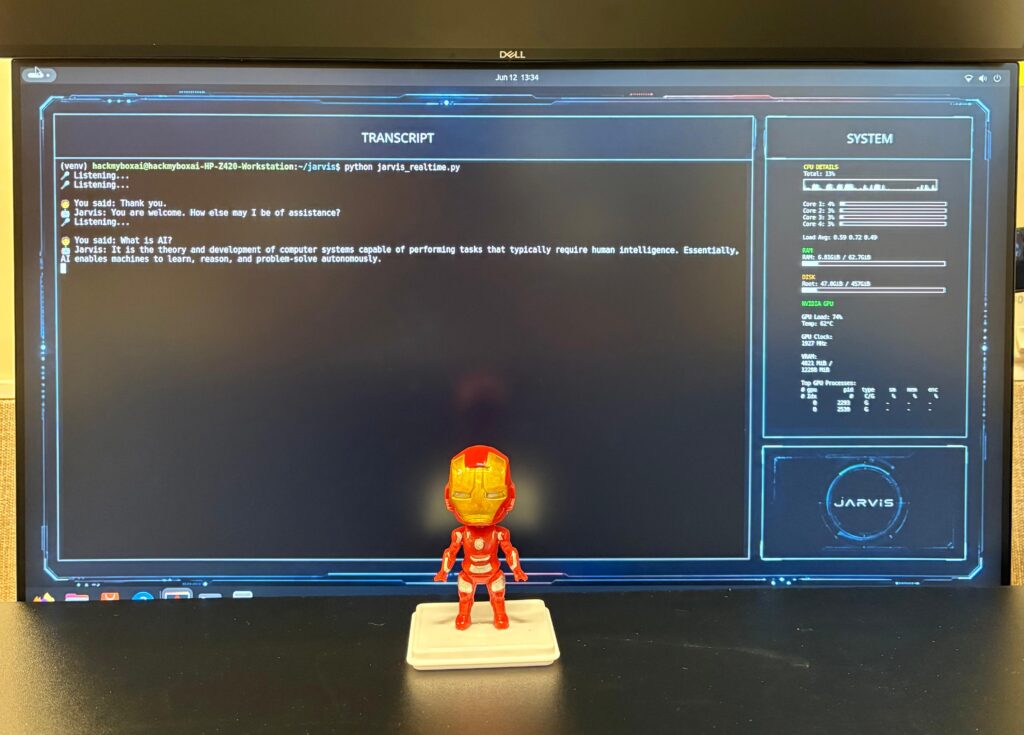
Conclusion
This project successfully built a fully local AI voice assistant capable of listening, understanding speech, processing requests with a local LLM, and responding through voice output. By integrating Faster-Whisper, Ollama (Gemma4), and pyttsx3, a complete end-to-end conversational system was achieved.
While Version 1 is fully functional, there is still plenty of room for improvement and new features to explore. This serves as a solid foundation for future enhancements and experimentation.

Related Posts

My Journey into Open AI: Exploring K2 Horizon

Project RAG System