Proxmox GPU Passthrough

PCI passthrough allows a VM to directly control a physical device (GPU, NIC, etc.).
1. Requirements (non-negotiable)
- CPU with IOMMU:
- Intel → VT-d
- AMD → AMD-Vi
- BIOS:
- Enable VT-d / IOMMU
- Enable Above 4G Decoding (important for GPUs)
- GPU:
- Dedicated GPU for VM (don’t use host GPU unless you know what you're doing)
2. Enable IOMMU (Host)
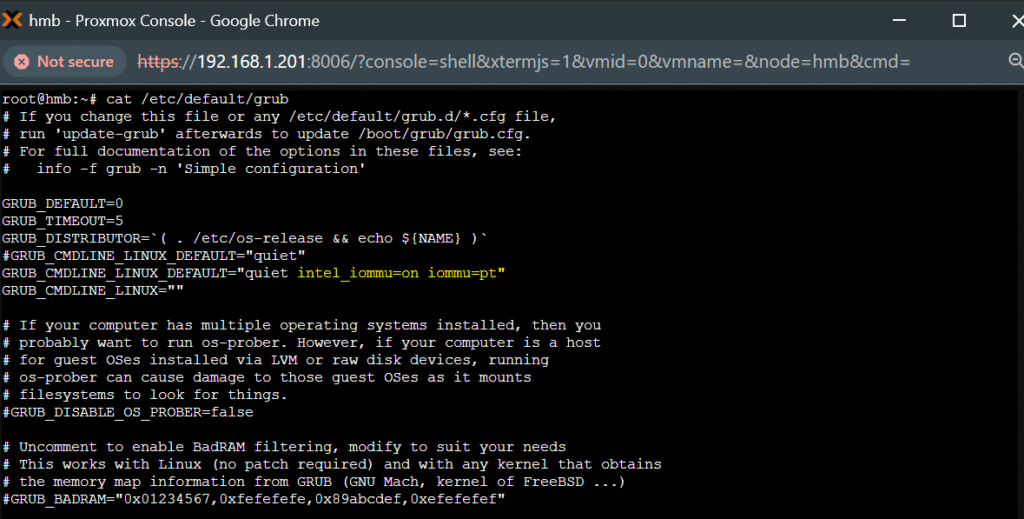
Edit GRUB:
sudo nano /etc/default/grub
Intel:
GRUB_CMDLINE_LINUX_DEFAULT="quiet intel_iommu=on iommu=pt"
AMD:
GRUB_CMDLINE_LINUX_DEFAULT="quiet amd_iommu=on iommu=pt"
Update:
sudo update-grub
3. Enable VFIO modules
sudo nano /etc/modules
Add:
vfio
vfio_iommu_type1
vfio_pci
vfio_virqfd
vfio_iommu_type1
vfio_pci
vfio_virqfd
4. Blacklist host GPU drivers
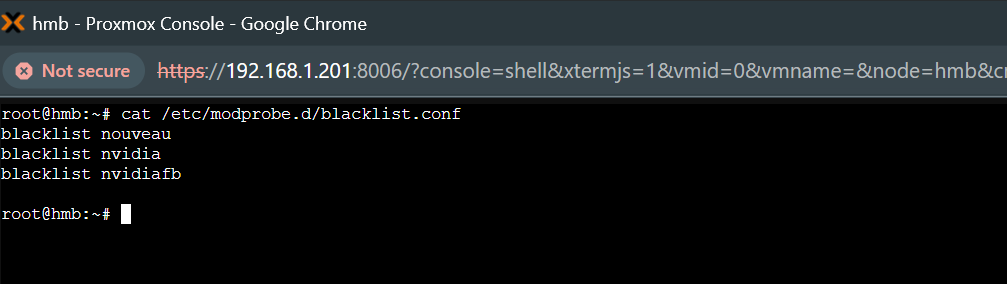
sudo nano /etc/modprobe.d/blacklist.conf
Add:
blacklist nouveau
blacklist nvidia
blacklist nvidiafb
blacklist nvidia
blacklist nvidiafb
5. Bind GPU to VFIO
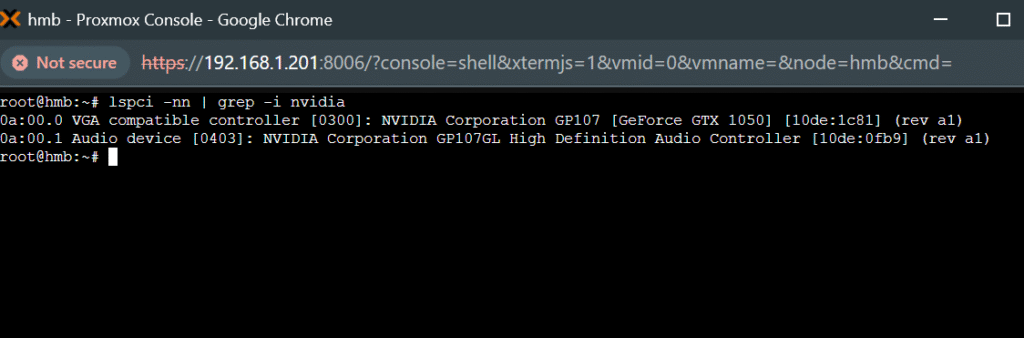
Get GPU IDs:
lspci -nn | grep -i nvidia
Bind them:
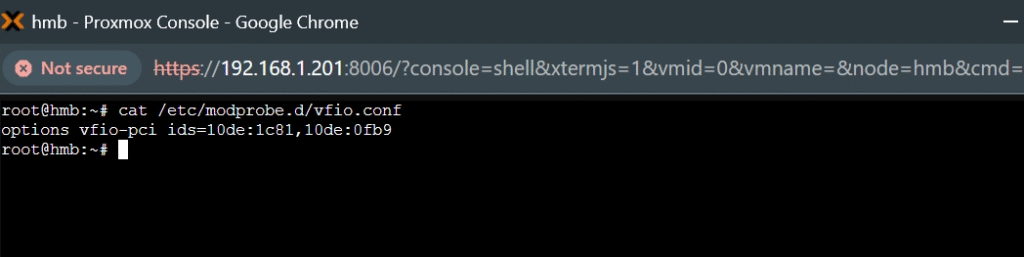
sudo nano /etc/modprobe.d/vfio.conf
options vfio-pci ids=10de:1c81,10de:0fb9
6. Update initramfs
sudo update-initramfs -u -k all
reboot
reboot
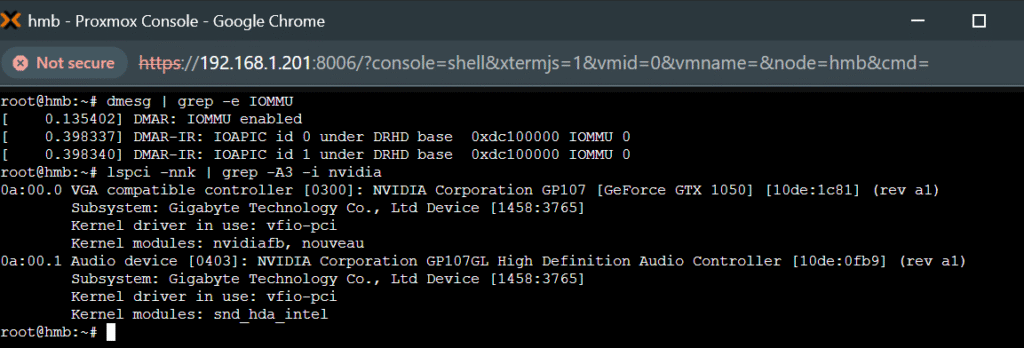
7. Verify isolation
dmesg | grep -e IOMMU
lspci -nnk | grep -A3 -i nvidia
You should see:
Kernel driver in use: vfio-pci
8. Configure VM (Proxmox GUI)
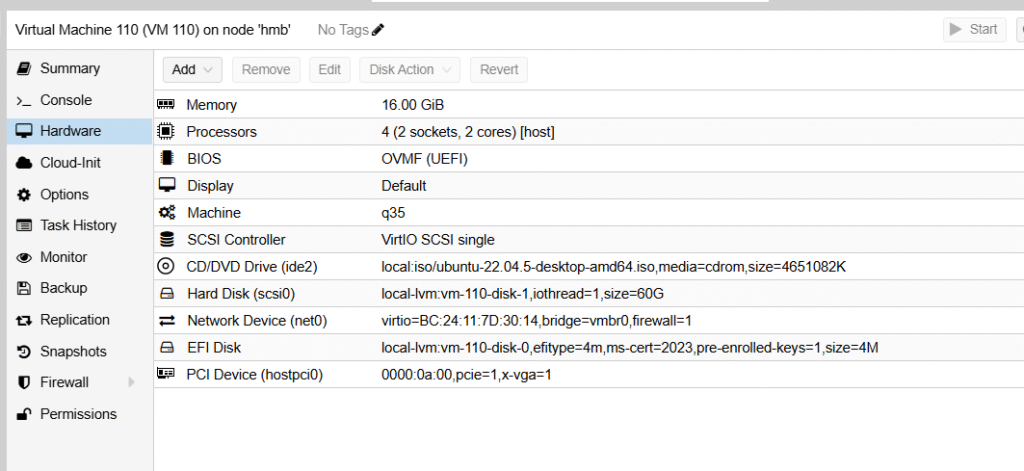
Edit VM:
Hardware:
- Machine:
q35 - BIOS:
OVMF (UEFI) - Add → PCI Device
9. Optional (fix NVIDIA Code 43 / stability)
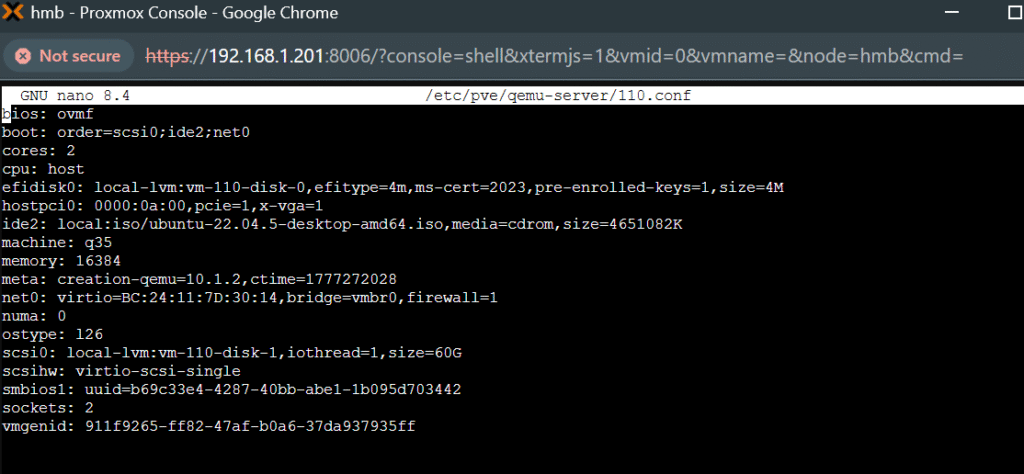
Edit VM config:
nano /etc/pve/qemu-server/<VMID>.conf
Add:
cpu: host,hidden=1
args: -cpu host,kvm=off
args: -cpu host,kvm=off
10. Inside VM (Ubuntu)
Install driver:
sudo ubuntu-drivers autoinstall
sudo reboot
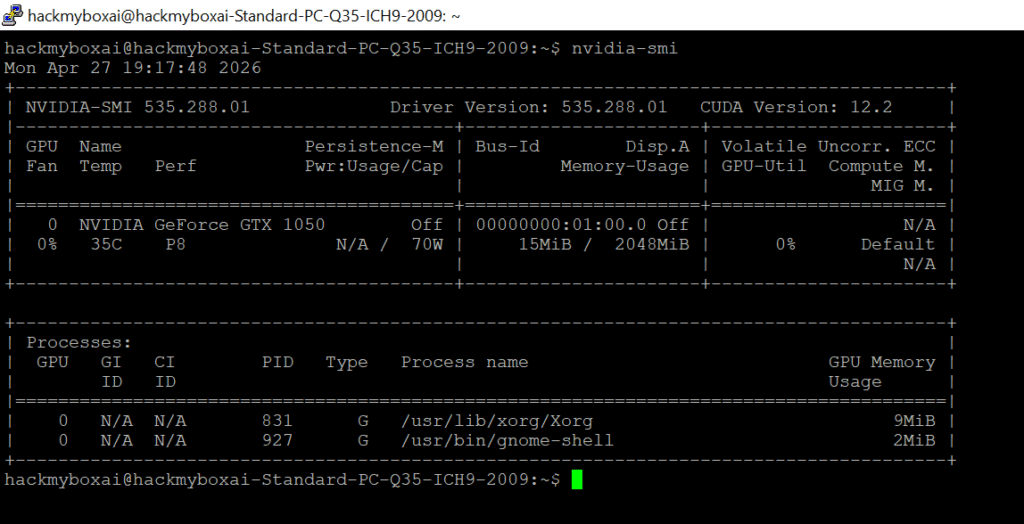
Test:
nvidia-smi
Reference :https://pve.proxmox.com/wiki/PCI_Passthrough

Related Posts

My Journey into Open AI: Exploring K2 Horizon
Background:MBZUAI’s Institute of Foundation Models (IFM) has launched K2 Horizon,...

Project RAG System
IntroductionThis project demonstrates the practical application of LangChain, Retrieval-Augmented Generation...

Jarvis AI Voice Assistant Project
1. Project ObjectiveBuild a fully local AI voice assistant that...